
.png)

From simple quotes to multi-step contracts, S-Docs turns document generation into a seamless part of the Salesforce workflows that move your business forward. The resources that support those workflows should move just as smoothly — easy to find, easy to follow, and easy to put into action.
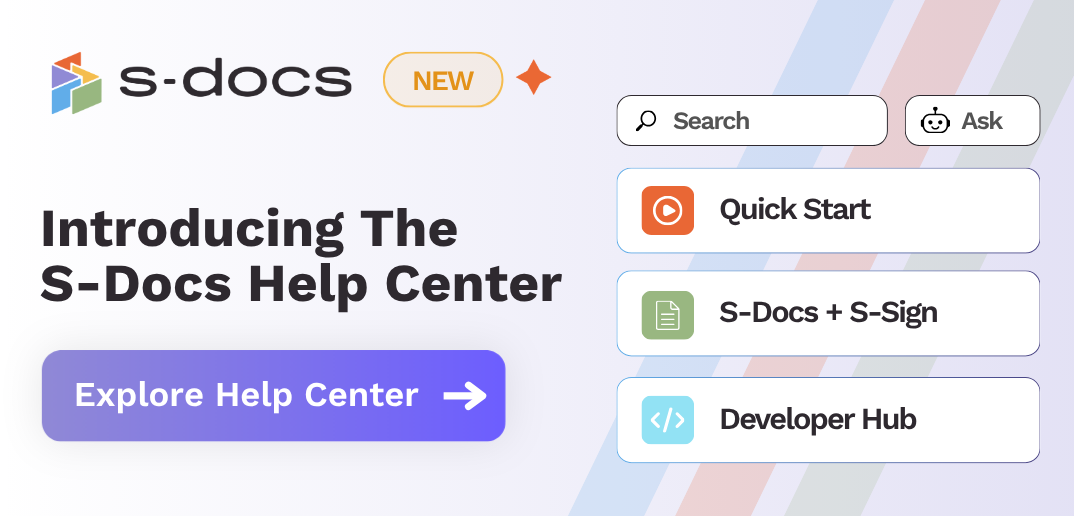
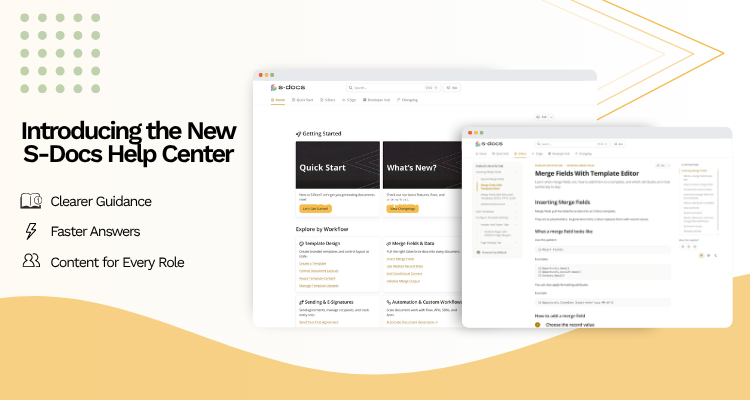
That’s why we’re excited to introduce the new S-Docs Help Center, a redesigned home for S-Docs product documentation, developer resources, release notes, and troubleshooting guidance.
From first-time setup to the most complex workflows, the Help Center (and our new AI chatbot!) is designed to help you move your document operations forward with confidence.
Find the Right Guidance Faster
We’ve reorganized our resources around the way users look for answers — by product area, role, and the process they’re trying to complete.
A Guided Quick-Start Experience
New users now have a clearer, step-by-step path from initial setup to their first generated document.
This is especially helpful for teams onboarding new admins, refreshing their S-Docs knowledge, or expanding usage to new departments, objects, or document processes.
Browse by Product, Role, or Workflow
Instead of sending every user down the same path, the Help Center lets you browse documentation by your unique requirements.
.png?width=750&height=400&name=Carahsoft%20Microsite%20-%20Rebranded%20Sliding%20Ads%20(1).png)
Users can explore how to get the most out of the product, admins can quickly access configuration and workflow guidance, and developers can jump directly to technical architecture documentation.
We designed our updated documentation experience to help users stay focused on the task they came to complete.
Move More Easily Between S-Docs and S-Sign Guidance
Salesforce document generation and e-Signature are deeply connected parts of the same process. What begins as creating a document often naturally flows into preparing it for signature, sending it out, and managing the experience from start to finish.
The new Help Center reflects this relationship, making it easier to move between S-Docs and S-Sign guidance while staying within the same connected documentation experience.
For teams using S-Docs and S-Sign together, this means less searching, less context switching, and a smoother path through the full document lifecycle.
Learn Faster With Clearer Articles and Real-World Examples
We’ve rewritten and improved articles to make them clearer and easier to follow.
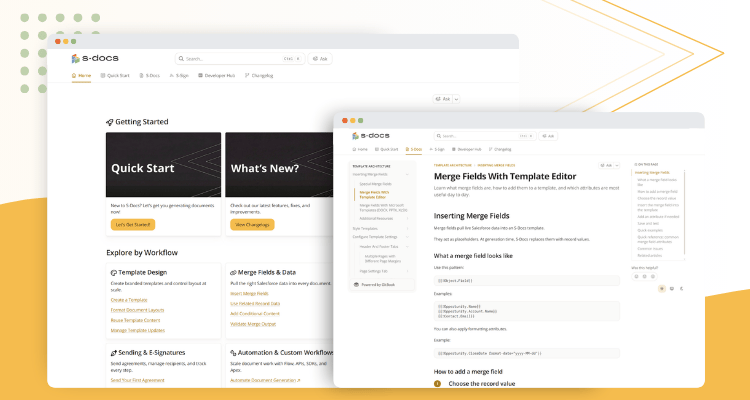
You’ll find more concrete examples for formatting and implementing features, including step-by-step snippets for structuring templates, configuring queries, and using S-Docs syntax correctly.
Instead of simply explaining what a feature does, the new Help Center more clearly illustrates when to use it, how to configure it, and how to apply it to your own Salesforce environment.
Ask the New AI Assistant
The Help Center also includes an AI assistant designed to help users find relevant S-Docs guidance faster.
You can use it to find relevant articles, ask product questions, get syntax examples, explore troubleshooting guidance, and better understand how to approach a specific workflow.
For example, you can ask for help with questions like:
-
"How do I ensure my merge field will output European-style currency formatting?"
- "What should I do to make sure empty field values display the text 'N/A'?"
- "How do I make text output right-to-left?"
.png?width=750&height=400&name=Carahsoft%20Microsite%20-%20Rebranded%20Sliding%20Ads%20(2).png)
The AI assistant helps make the Help Center more interactive, giving users a faster way to surface relevant guidance and decide where to go next.
Explore the New Developer Hub
The new Help Center also introduces a dedicated Developer Hub, giving technical Salesforce teams a place to explore advanced S-Docs capabilities, including SDK methods, product architecture details, entity relationship diagrams, and more.
The Developer Hub gives technical teams a more focused resource for understanding how S-Docs can support scalable, extensible document processes across growing Salesforce orgs.
Built for Customers, Partners, and Growing Teams
The Help Center is built to support users at every stage of their S-Docs journey:
- New customers can get started faster.
- Existing customers can find updated guidance more easily.
- Admins can configure workflows with more confidence.
- Developers can dig into technical details.
- Partners can support implementation work.
- Business teams can better understand how S-Docs and S-Sign fit into the processes they already manage in Salesforce.
As S-Docs continues to evolve, our documentation experience is evolving with it. The new Help Center is a major step toward making support more accessible, useful, and aligned with the way teams work.
Visit the New S-Docs Help Center
The new S-Docs Help Center is live now at help.sdocs.com.
Explore the quick-start guides, browse by product or role, visit the Developer Hub, or ask the new AI assistant for help with your next workflow.
Wherever you are in your S-Docs journey, the new Help Center is here to help you find answers faster, apply guidance more confidently, and keep your document processes moving.

.png)


